
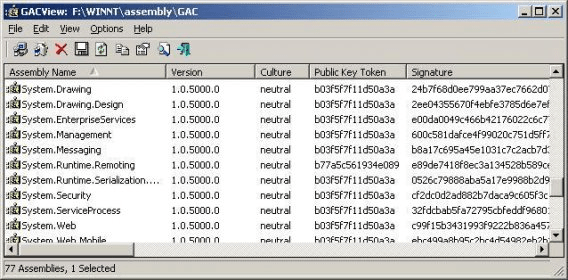
GACView is an alternative to the standard .NET assembly viewer on Windows Explorer. In addition to the standard columns, GACView displays additional information for each assembly, like modified date, file size, full path of the assembly file, file version, and so on. GACView also allows you to delete an assembly the cannot be uninstalled in the regular way.
GACView doesn't require any installation process or additional DLLs. In order to start using it, just copy the executable file (gacview.exe) to any folder you like, and run it. The main window of GACView displays the list of all assemblies installed in the GAC. You can select one or more assemblies, and then uninstall them, delete them (If regular uninstall fails), or save the assemblies information to file. You can also install new assemblies by using "Install Assembly" option under the File menu, or by simply dragging the assembly that you want to install into the main window of GACView.





Comments